Password Generator Professional can generate millions of unique passwords in a matter of seconds. It will ensure the passwords are completely random, and cannot be guessed by hackers. You will be able to customize the format of the passwords in virtually any way you want, and you have a wide range of export possibilities.
Features Highlight Quickly Generate Secure Passwords Set the length and number of passwords you need, and press "Generate" to get going. Use Flexible Masking Patterns Use masked mode to fine tune your results. Enjoy Word List and Dictionary Support Grab words from files, modify and use them as you please. Make Easy To Remember Passwords Make pronounceable passwords that are easy to remember. Make Secure, Random Numbers The generation algorithm creates high quality random numbers using a twisted generalized shift feedback register. Make Command-line Calls to Password Generator Commandline support allows integration with your own system. Run user-created scripts You can use VBScript scripts to modify the generated passwords as you like. Multiple Output Options Export to text, XML, HTML, CSV and Microsoft Excel, print to paper and copy to clipboard. Create Complete Login Details Create user names or grab them from files and assign passwords. Save to Multiple Files You can generate long password lists into separate files, making them easier to manage.
Additional Features Lightning fast generation of up to 1 billion unique passwords Generate with phonetic spelling Generate the hexadecimal version of passwords Store options and patterns in templates Preview passwords before generating Filter out weak passwords Filter out specific characters Customize character sets
OS : Win XP/2000/Vista/Win 7 Language : English
Home Page - http://www.kristanixsoftware.com/passwordgenerator/
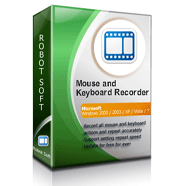
Mouse and Keyboard Recorder is an easy-to-use tool that can record all your mouse and keyboard actions, and then repeat all the actions accurately. It is very usefull and can save you a lot of time and effort. And you can create scheduled tasks with it easily. Key features - Record all mouse and keyboard actions and repeat accurately - Support setting repeat times and the delay between two repeating - Support setting repeat speed - Comes with a Mouse Record and a Mouse Clicker - Comes with Key Presser - Create scheduled tasks easily - Support all latest Windows OS - Windows 7/Vista/XP/2000/NT/Server 2000/2003/2008
Home page - http://www.robot-soft.com/mouse-keyboard-recorder.html
With Driver Robot, you never need to worry about installing an incorrect or out-of-date driver - Driver Robot's scan engine and database ensures you always get the latest official driver. Driver Robot's massive database, perfect scan, and guaranteed driver availability means that you only have to press one button to Download All of the correct drivers for your system. Stop doing it the hard way - let Driver Robot update your system automatically.
Perfect scan. Driver Robot has the industry's best hardware detection. It correctly identifies 100% of all consumer hardware devices. If it's in your computer, Driver Robot can see it. With its perfect hardware scan, Driver Robot ensures you always get the right driver.
Huge database. The Driver Robot database contains more than 100,000 entries. It's guaranteed to automatically download the latest drivers for your PC. Because it supports such a massive breadth of devices, Driver Robot is the best way to get driver updates for your machine.
Best in class. The benchmarks are clear: Driver Robot is more accurate, has more drivers, and better download performance than any of its competitors. But don't take our word for it - download it now for yourself. In just 2 minutes, you'll have the most recent driver releases that perfectly match your operating system and hardware.
Driver Robot updates:
* Sound card drivers * Printer drivers * Video card drivers * Motherboard drivers * Webcam drivers * Wireless drivers * Bluetooth drivers * FireWire drivers * Ethernet drivers * Windows XP drivers * Windows Vista drivers * USB drivers * Chipset drivers * AC97 drivers * DVD drivers * Router drivers
PcBoost is a program which allows you to run programs much faster then the original programmer intended. With little to no effort you can easily make programs & games run faster on your computer without having to purchase a new PC.
Many programs and games often use a minimal amount of CPU power which often leads to the CPU being idle and really not much use at all. PcBoost takes advantage of this by allocating more CPU power to the currently active program/game. All of this is done automatically without having you to lift one finger. PcBoost is a great affordable alternative to purchasing a new computer and can in no way harm or destroy a computer, while providing equivalent power that a faster processor would.
Main features: • Optimizes games and applications by increasing the CPU priority thread of the currently active application • Automatically de-allocates CPU priority when a new active application is selected • Works in the background to optimize applications constantly, raises priority levels to reasonable values to maintain system stability and performance • Visual representation in the Windows system tray which displays the priority optimization for the currently active application • Built-in and constantly updated block list of applications which are not compatible • Fully customizable interface which allows end-user to change the look of the software and the Windows system tray icon theme
TuneUp Utilities 2011 can quickly make your Windows operating system faster, easier to use, and more secure. And all operations performed on the operating system are completely safe, because all changes are monitored by TuneUp Rescue Center and can be undone at any time. All TuneUp Utilities modules can be accessed through a common interface that is divided into six categories. In addition, the main window also has three general buttons in a dark gray bar to the right at the top of the window. Pressing the first button starts the TuneUp Rescue Center module. The second button starts the TuneUp Update Wizard, which can be used to update TuneUp Utilities 2009 to the latest version over the Internet. The last button provides help and settings that you can use to customize the software package to meet your needs.
The new Start page TuneUp Utilities 2011 welcomes you with a completely redesigned Start page, which tells you about the status of your computer. If problems or nonoptimal settings are found, you are only a mouse-click away from resolving them. The Start page also tells you when new tips for increasing computer performance are available and warns you if maintenance tasks are not being taken care of automatically. The Start page also shows you whether new automatic startup programs have been added to Windows since the last time you ran TuneUp Utilities. You can decide whether these programs that start up automatically are really necessary.
TuneUp Speed Optimizer Which settings slow your computer down? Which unnecessary services or programs are running in the background? Is your Internet connection optimally configured? TuneUp Speed Optimizer knows the answers to all these questions. It examines your entire system for bottlenecks, superfluous background programs, and incorrect settings. Great: with just one click you can carry out most optimizations very quickly. In addition, TuneUp Speed Optimizer provides suggestions for speeding up your system.
TuneUp Shortcut Cleaner Cleaning up your working environment is tedious: removing invalid shortcuts from the Start menu, the Desktop, and the Quick Launch bar is very time-consuming. TuneUp ShortCut Cleaner now does the work for you. It checks whether all shortcuts are valid and removes the orphaned ones with just a click of a button. At the same time, empty folders are removed from the Start menu. TuneUp ShortCut Cleaner also checks frequently used programs and cleans up the list of recently opened files.
Support for the Opera browser After hard disk defragmentation, which we introduced in TuneUp Utilities 2009, the feature most requested by customers was support for the Opera browser. TuneUp Utilities 2011 now also includes full support for Opera. Via several special Opera settings, TuneUp System Control now allows you to change the number of Speed Dial entries, conveniently choose your default search engine, and reenable fast backward and forward navigation. Internet optimization lets you optimize Opera's performance for your Internet connection. Free up disk space lets you delete the Opera cache.
TuneUp Styler Now you can also change the Vista logo animation which appears just before logon. You can download a whole series of great animations from the TuneUp website. Or, if you prefer, you can choose your own personal image to display while Vista starts up. With Vista, you can also add your own images to Vista's logon screen: With just a few mouse clicks you can create a truly personal logon experience.
TuneUp Uninstall Manager Redesigned from the ground up, TuneUp Install Manager now runs much faster and has a new, even more intuitive interface so that it is even easier to uninstall unnecessary programs. Unnecessary programs often are forgotten because they were installed a long time ago and then not used. TuneUp Utilities 2009 shows you a list of programs not used for a long time so that you can target for uninstallation those applications that use valuable disk space and in certain circumstances even slow your system down.
TuneUp StartUp Manager A smooth-running system results when there are no unnecessary autostart applications. The improved TuneUp Startup Manager organizes your programs into groups and provides clear explanations to make it easier for you to identify those programs that are not needed.New automatic startup programs are now highlighted so that you can disable unwanted entries more easily. System start tasks are now also listed in TuneUp StartUp Manager In Vista, in particular, scheduled tasks are used in place of autostart entries.
Free up disk space The already rapid display of disk space to be freed up is now even faster on NTFS drives. And now it is so easy to delete even more unnecessary files, like the backup files for the first Windows Vista service pack and the Opera and Safari caches. The second "Free up disk space" module that helps you turn off Windows functions that use excessive disk space has also been enhanced. The Windows Search index can now be disabled and deleted with a single click. This makes particular sense if you are already using a different search engine. In addition, TuneUp Disk Space Explorer now runs faster and no longer requires that an entire drive be analyzed. You can now specify that only those folders be analyzed that you are really interested in.
Lots more improvements Along with the totally new features, there are a series of improvements that are not immediately visible. There are small improvements like Tooltips in the main window, a substantial increase in the number of problems that can be found byTuneUp Registry Cleaner, and better progress feedback from TuneUp Drive Defrag. But there are also big improvements "under the hood". Two good examples are a completely reworked installation program and significant improvements in our update technology.
System Mechanic® keeps your PC running faster, cleaner and error-free. Its powerful arsenal of 40+ award-winning precision tools fixes stubborn errors, cleans out clutter, optimizes internet and download speeds, ensures personal security and maintains maximum computer performance automatically. Over 98% of PC problems are caused by clutter and faulty settings that are the result of everyday PC use. System Mechanic automatically repairs errors and fragmentation, cleans out clutter, and tunes up your PC - so that it runs smoothly, reliably, and up to 300% faster!
Don't waste money on expensive "experts" to fix your PC when System Mechanic will repair, tune, and maintain it for you! Enjoy that new PC feeling again. Clear out clutter and errors for improved speed and reliability. Optimize your PC to play the latest high-performance games at maximum speeds. Accelerate download and web surfing speeds up to 300%.
Advanced PC Tune-Up plus: • Certified virus protection • Internet intruder defense • Deleted Data Rescue • Secure Data Removal
iolo AntiVirus™ provides industry-certified protection from viruses, worms, trojans, and other threats by using an advanced real-time engine that provides continuous maximum protection. It includes fully integrated email scanning, hourly virus definition updates, and an intuitive interface that makes it easy to maintain a permanently virus-free PC.
iolo Personal Firewall™ blocks unwanted communication to and from PCs, keeping private information safe from hackers and identity thieves. Its proprietary IntelliDefense® system eliminates security guesswork by automatically deciding which programs should connect to the internet using a program database of thousands of behavior profiles.
Search and Recover™ rescues accidentally deleted pictures, videos, email messages, documents, spreadsheets, system files, and any other file or folder from hard drives, CD/DVDs, music players, digital cameras, memory cards, and virtually all other portable digital devices.
DriveScrubber® securely erases sensitive data to prevent it from falling into the wrong hands when selling, donating, recycling, or reassigning a computer. DriveScrubber overwrites and removes information permanently, using strict government and military standards to provide protection from even the most sophisticated forensic recovery methods.
New in Version 10
NEW - Program Accelerator™ Over time, the many files that make up a program drift apart and become scattered across the hard drive. The new Program Accelerator realigns these program files, resulting in programs that launch faster and respond more quickly. - CRUDD Remover™ The new CRUDD Remover detects and displays the redundant programs that can impact PC performance and stability, and then you decide which programs you want to keep or remove. - Broken Internet connection repair A new repair feature that fixes damaged or broken Internet connection problems caused by destructive software is now in ActiveCare® and the PC Repair PowerTool™. - Whole Home™ Licensing Previously, one System Mechanic license could be installed on up to 3 PCs. Because many people now have more than three computers, System Mechanic is now licensed under the Whole Home™ Licensing program, which allows you to use one System Mechanic license on all of the PCs in your household.
ENHANCED - Tune-up Definitions™ Tune-Up Definitions, the weekly research updates automatically delivered to System Mechanic customers, have significantly expanded and grown from one category to five, capturing even more data about the issues that impact PC performance. - DriveAccelerator™ The drive defragmentation technology in DriveAccelerator is re-engineered both to incorporate new features in Windows 7 and to work in conjunction with the new Program Accelerator. - PC TotalCare® More cleanup, repair, and optimization functions are now in PC TotalCare, the all-in-one PowerTool™ that provides a complete PC tune-up for overall performance improvements. - PC Accelerator New detection and optimization functions are added to PC Accelerator, the all-in-one PowerTool™ that speeds up web access, boot times, program functioning, and more. - PC Repair New detection and repair functions are added to PC Repair, the all-in-one PowerTool™ that can detect and fix hundreds of critical system problems. - ActiveCare® ActiveCare adds more automated tasks, enabling System Mechanic to automatically detect and repair more problems. - System Guard® System Guard®, the automatic system defense tool, has undergone several enhancements, including simplified functionality for enabling the feature and full compatibility with 64-bit machines. - User interface The System Mechanic interface is redesigned to allow for streamlined access to the program's expanded feature set.
X1 Professional Client delivers the power, speed, and accuracy you need to locate critical data instantly. Easily installed on your desktop or laptop, this revolutionary application will change the way you search for information. Say goodbye to cumbersome, time-consuming searches that don’t return what you’re looking for. Immediately, X1 helps you find what you need, sort what you find, and act on what you sort -- right from within the application.
X1 searches all your resources as fast as you type even if you have hundreds of thousands of emails, attachments, and files. Detailed search specifications—including Boolean, proximity, and keyword—help X1 return accurate results in record speed. X1’s unified interface delivers all your search results in their native formats, so you can fully preview over 500 file types even if you don’t have the application that created a file.
Deep integration with popular mail clients like Outlook and Lotus Notes means you’ll never misplace an email or attachment again. Integrated post-search functionality lets you act on results immediately. Open, delete, print, email, drag and drop files, export to other applications, add to ZIP files, and more.
Home Page: http://www.x1.com/products/professional-client
iCare Data Recovery - a program to recover deleted and formatted files from hard drives, sd cards, memory cards and USB Flash drives. It helps you to recover files from unreadable disk partition, if damaged boot sector or a virus attack.
The program includes 4 Restore Wizard: • "Partition Recovery" to recover deleted partition • "Deleted File Recovery" to recover deleted files, files from damaged partitions or corrupted boot sector, etc. • "Deep Scan Recovery" for scanning and searching of both existing and deleted files that can be restored • "Format Recovery" to restore files from oftormtirovannyh hard drives, external drives, sd cards, USB Flash Drives
Data loss won't be your headache! As a comprehensive data recovery solution, iCare Data Recovery can easily recover files from wrong formatted drives, unexpectedly file deletion, raw drive or raw filesystem, virus attack, partition deleted, software crash etc. It can recover any deleted files like photos, documents, mp3, outlook file, presentations, and it also works with any type of storage media like hard drive, removable hard drive, digital cameral sd card, usb drives, ipod, memory card etc.
"iCare Data Recovery Software combines simplicity of use with the most powerful file recovery software engine, which can search and find files&photos missed by other recovery software, together with a unique capability of "on-the-fly" data preview while the search is being conducted."
iCare Data Recovery Software • Reformatted partition, memory card, camera card by accident? • Corrupted MBR and cannot find your partition or USB not detected? • Accidentally deleted partition? • Drive became RAW? • SHIFT+DELETE and need file recovery? • Recover files from dynamic disk • Data loss without a reason, Need recovery software?
AIDA64 Extreme Edition (Everest) is a streamlined Windows diagnostic and benchmarking software for home users. AIDA64 Extreme Edition provides a wide range of features to assist in overclocking, hadware error diagnosis, stress testing, and sensor monitoring. It has unique capabilities to assess the performance of the processor, system memory, and disk drives. AIDA64 is compatible with all current 32-bit and 64-bit Microsoft Windows operating systems, including Windows 7 and Windows Server 2008 R2.
CPU, memory and disk benchmarks AIDA64 implements a set of 64-bit benchmarks to measure how fast the computer performs various data processing tasks and mathematical calculations. Memory and cache benchmarks are available to analyze system RAM bandwidth and latency. Processor benchmarks utilize MMX, 3DNow! and SSE instructions, and scale up to 32 processor cores. For legacy processors all benchmarks areHa available in 32-bit version as well. AIDA64 Disk Benchmark determines the data transfer speed of hard disk drives, solid-state drives, optical drives, and flash memory based devices.
OS : Win XP/2000/Vista/Win 7 Language : Multilingual
Home Page - http://www.aida64.com/product/aida64-extreme-edition/overview/
PcBoost is a program which allows you to run programs much faster then the original programmer intended. With little to no effort you can easily make programs & games run faster on your computer without having to purchase a new PC. Many programs and games often use a minimal amount of CPU power which often leads to the CPU being idle and really not much use at all.
PcBoost takes advantage of this by allocating more CPU power to the currently active program/game. All of this is done automatically without having you to lift one finger. PcBoost is a great affordable alternative to purchasing a new computer and can in no way harm or destroy a computer, while providing equivalent power that a faster processor would.
Main features: • Optimizes games and applications by increasing the CPU priority thread of the currently active application • Automatically de-allocates CPU priority when a new active application is selected • Works in the background to optimize applications constantly, raises priority levels to reasonable values to maintain system stability and performance • Visual representation in the Windows system tray which displays the priority optimization for the currently active application • Built-in and constantly updated block list of applications which are not compatible • Fully customizable interface which allows end-user to change the look of the software and the Windows system tray icon theme
OS : Win XP/2000/Vista/Win 7 Language : English
Home Page - http://www.pgware.com/ Download: Filesonic


 Nhãn: