Gmail Notifier Pro 2.7.3 + Portable


Gmail Notifier Pro is a Windows application capable of checking multiple Gmail accounts for new mail and display notifications.

 Feature highlights
- Check multiple Gmail accounts, including Google Apps, for new mail.
- Supports both Atom and IMAP protocols for mail.
- Supports customizable themes and individual account settings, making Gmail Notifier Pro the best looking Gmail notifier on the web!
- Read, write, reply, preview and save attachments, mark as read and delete mail without the web browser. Supports Google Contacts.
- Integration with Google Calendar accounts gives reminders for calendar events.
- Get news notifications from Google News & Google Reader.
- Supports RSS/Atom feeds to get notifications from any news source.
- Gmail Notifier Pro provides many easy-to-use features and settings.
- Define schedules when to check for mail and display notifications.
- In addition to the installation package, Gmail Notifier Pro can also run from a USB-stick without any installation.
- Gmail Notifier Pro supports automatic updates. A new version can be downloaded and installed with a single click.
- Secure account management and encrypted connections (HTTPS / SSL) are used. 100% FREE from virus, spyware and adware.
- Gmail Notifier Pro is simply the best Gmail notifier for Windows.
- Supports 32-bit & 64-bit Windows XP, Windows Vista & Windows 7.

OS : Win XP/2000/Vista/Win 7
Language : Multilingual

Home Page - http://www.gmailnotifier.se/

Download: Gmail Notifier Pro 2.7.3
 Download: Portable


[Xem tiếp...]


TwistedBrush Pro Studio 18.08 + Portable


TwistedBrush - digital paint software with complete natural art tools - oils, acrylics, pastel, charcoal etc. Software for artists without the complexity of other art programs. TwistedBrush - creating art the way it should be, simple and fun! Simplicity without sacrifice, powerful enough for the professional artist yet simply enough for the novice. TwistedBrush has one of the most versatile and powerful brush engines in existence, yet it was designed from day one to be easy to use.

Over 2000 brushes, layers, realistic media, photo cloning, tracing, masks, particles, filters, script recording, scripts to AVI, drawing tablet support, brush shapes, patterns, textures, integrated scanner support, image brushes, drawing guides, reference image views, dirty brushes, scratch layer, dynamic palettes and much more!

Simplicity without sacrifice, powerful enough for the professional artist yet simple enough for the novice. TwistedBrush Pro Studio has one of the most versatile and powerful brush engines in existence, yet it was designed from day one to be easy to use. TwistedBrush Pro Studio has more than 5,000 brushes, along with all the features that artists love to use: layers, realistic media, photo cloning, tracing, masks, particles, filters, script recording, scripts to AVI, drawing tablet support, brush shapes, patterns, textures, integrated scanner support, image brushes, drawing guides, reference image views, dirty brushes, scratch layer, dynamic palettes and a whole lot more.

TwistedBrush Pro Studio runs on all versions of the Windows operating system and is designed for all realms of digital art including natural media fine art, photo retouching, photo composition, photo cloning to turn your photos into the look of hand painted artwork, mandala art, patterns, manga, even 3D like painting with the incredible blob modeling tools.

Here is what's new in 18.08

* Added - Zoom Fit has been added to the Quick Command feature.
* Added - Brush effect Luminance added.
* Improved - Added some additional common PPI sizes for the Page Size dialog. Including 100, 110, 120, 180, 240, 400 and 500. These are in addition to the sizes that were already available.
* Improved - The random frame solutions now can be used on any layer without the need to flatten the image.
* Improved - The history color palette is now shown as an 8x8 grid of colors rather than 16x16. This makes it much easier to find a select a specific previously used color.
* Changed - The default values for the Alpha Edge Color filter have been updated.
* Fixed - Allow for more space for the text "Select the position of current image on the new page." on the Set Page Size dialog.
* Fixed - Deleting pages in the Page Explorer would not properly clear the page title.
* Fixed - The Paint Bucket tool in Erase Connected mode could result in a crash.
* Fixed - The Layer Mask layer mixing mode was not appearing properly on screen with many brushes while a paint stroke was in progress.
* Fixed - Lua function print_buffer_clear() had an issue that could lead to stability problems in scripts that use it.
* Fixed - Don't display the layer transparency warning during script playback when layers are moved to and from the background.

Home Page - http://www.pixarra.com/

Download: TwistedBrush Pro Studio 18.08

Download: Portable

[Xem tiếp...]


Kristanix Software File Renamer Turbo 2.76 + Portable


Save time and keep all your files in top condition! Quickly rename multiple files in one batch! Keeping track of all your music, images, videos and other files will quickly become a chore unless you carefully manage the file names. Now you can save time and get better file names in a matter of seconds. With File Renamer Deluxe, you can easily rename multiple files in on single batch! Automatically set MP3, OGG, WMA, M4A, APE, FLAC, MPC tags, organize your photos based on their type or size, fix irritating issues like double spaces or wrong casing in file names, and much, much more!


Features highlight:
- Rename multiple files quickly!
Rename multiple files in one batch.
- Tag MP3, OGG, APE, FLAC, MPC files
Set the ID3 and other tag fields of music files.
- Get music album information online
Automatically search MusicBrainz.org for album information.
- Integrate File Renamer in your own system
You can access File Renamer Deluxe through the command line.
- Add to the Windows right-click menu
You can add the file renaming functionality to the Windows context menu.
- More than 20 rename filters
Including Search & Replace, Trim, File Attributes and more.
- Insert special data in file names
Extract ID3 fields, image size etc. from files and use as file name.
- Move files and folders
You can fully re-organize your files and folders. Move files into new or existing folders.

Additional features:
- Complete undo and redo history.
- Extract EXIF information from JPEG images.
- Easy to use program.
- Save filter profiles for later.
- Save file lists for later.
- Automatically generate command line batch files.
- Rename both files and folders.
- Modify file attributes and date.
- Choose between seven beautiful GUI-skins.

Home page - http://www.kristanixsoftware.com/


Download: Kristanix Software File Renamer Turbo 2.76
Download: Portable
[Xem tiếp...]


PowerArchiver 2011 12.00.59 Final + Portable


PowerArchiver contains all the basic features you would expect from a compression program / archive utility - you can read and extract from many different formats and you can also create archives in many different formats, including 7-Zip which is one of the best compression formats currently used. What makes PowerArchiver different from many similar utilities is the wealth of advanced features it has. Simply put, PowerArchiver is one of the most innovative utilities of its kind and many features you now take for granted in a compression utility were first offered in PowerArchiver.


Key features
· Complete built-in support (including creating archives and adding files) for ZIP, CAB, LHA (LZH), TAR, TAR.GZ, TAR.BZ2 and BH (BlakHole) files, and built-in support for reading and extracting many other file formats: RAR, ARJ, ARC, ACE, ZOO, GZ and BZIP2
· Built-in support for XXE and UUE encoded files
· Many powerful archive operations (including: renaming files in archive, spanning archives, testing archives, viewing and writing comments, installing archives, and checking archives for viruses)
· Internal viewer that supports TXT, RTF, BMP, ICO, WMF, EMF, GIF and JPG (JPEG) files
· Skinnable toolbar
· Drag and Drop from/to Windows Explorer and the Desktop
· Two ways of viewing archives (Classic - all files in the same listing; Explorer - browsing through an archive like folders in Windows Explorer)
· Creating powerful ZIP, RAR, ARJ, LHA and BH self-extracting archives
· Complete integration with Windows (extracting archives and creating archives directly from Windows Explorer using powerful "Explorer Shell Extensions")
· Viewing files in all view styles, including "as a Web page"
· Converting between file formats (for example: changing a ZIP archive to CAB archive, or LHA archive to ZIP archive)
· Tool for repairing corrupted ZIP archives
· Tool for extracting multiple archives at once
· Tool for creating backup scripts and running automated backups
· Auto Update to automatically download and install new versions of PowerArchiver
· Batch Zip function to create multiple different archives at once
· Favorite Folders to quickly locate archives
· Printing file list to printer, or exporting file list to HTML or TXT files
· Powerful help in HTML and a tutorial with pictures for beginners
· Many, many other useful and powerful features

Home Page - http://www.powerarchiver.com/

Download: FileSonic
Download: Portable

[Xem tiếp...]


IDM UltraEdit 17.10.0.1015 + Portable


IDM UltraEdit is used across a diverse range of industries, from professional writers, researchers and journalists to advanced programmers, database managers and web developers. Scores of individuals use UltraEdit as a powerful replacement for windows notepad and even more use it as a text editor because of its ability to handle multiple documents at once, large file handling, powerful search/find/replace functionality, spell checking versatility and much more.


Replacing Notepad or looking for a powerful text editor? UltraEdit is what you're looking for. UltraEdit is the ideal text, HEX, HTML, PHP, Java, javascript, Perl, and Programmer's editor. It's versatile and easy to use. UltraEdit is specially designed for inputting and editing text and code, UltraEdit supports configurable syntax highlighting and code structuring for most any programming languages.

Key features
• Code Folding
• Supports 64-bit file handling (standard) on 32-bit Windows platforms (Windows 2000 and later)
• Unicode support
• Disk based text editing and large file handling - supports files in excess of 4GB, minimum RAM used even for multi-megabyte files
• Mulitline find and replace dialogs for all searches (Find, Replace, Find in Files, Replace in Files)
• 100,000 word spell checker, with foreign languages support (American English, British English, Dutch, Finnish, French, German, Hungarian, Italian, Spanish and Swedish)
• Syntax highlighting - configurable, pre-configured for C/C++, VB, HTML, Java, and Perl, with special options for FORTRAN and LaTex. Multiple wordfiles available for download
• FTP client built in to give access to FTP servers with multiple account settings and automatic logon and save. (32-Bit Only) Includes support for SFTP (SSH2)
• SSH/Telnet window
• Project / workspace support
• Environment Selector - Provides predefined or user-created editing "environments" that remember the state of all of UltraEdit's dockable windows, toolbars and more for user convenience.
• Integrated scripting language to automate tasks
• Configurable keyboard mapping
• Column / block mode editing
• Hexadecimal editor allows editing of any binary file, shows binary and ASCII view
• Named templates
• HTML toolbar preconfigured for popular HTML function

Home page - http://www.ultraedit.com/

Download: IDM UltraEdit 17.10.0.1015
Download:
Portable

[Xem tiếp...]


Easy CD-DA Extractor 15.2.1.1 + Portable


Easy CD-DA Extractor aka "Swiss Army Knife Of Digital Audio" is ALL-IN-ONE software that copies Audio CDs, converts audio files from one format to another, edits metadata of audio files and can burn Audio CD, MP3 CD & DVD, and Data CD & DVD. Easy CD-DA Extractor supports all popular audio file formats such as 3G2, 3GP, MP1, MP2, MP3, Windows Media Audio (WMA), Ogg Vorbis (OGG), MP4, M4A (AAC and Apple Lossless), AAC, aacPlus (HE-AAC, AAC+, HE-AAC+PS, eAAC+), FLAC, Musepack (MPC), WavPack (WV), WAV, AIFF, Monkey's Audio (APE), CUE and M3U.

Audio CD Ripper: Rip audio CDs to selected audio format.

- Accurate CDDATM ripping engine for accurate and high-performance CD ripping
- Bypass audio CD copy-protections
- Detect and report audio/data errors
- Get disc information from Internet disc database
- Edit or automatically fill metadata with Cover Art support
- Read CD-Text
- Digital audio processing (Volume level, RMS, Fade In/Out, ...)

Audio Converter: Convert audio files from one format to another.

- Convert audio formats
- Edit metadata of audio files
- Edit or automatically fill metadata with Cover Art support
- Digital audio processing (Volume level, RMS, Fade In/Out, ...)

CD/DVD Creator: Burn Audio CD, MP3 CD/DVD, Data CD/DVD, and DVD Video.

- Burn Audio CDs compatible with all home/car CD-players
- Write CD-Text
- Supports Unicode and long filenames
- Supports UDF, ISO/Joliet and DVD Video file systems
- Make disc image from CD and DVD
- Burn CD and DVD from ISO, BIN, IMG and CUE disc image
- Make 1:1 identical copies of CDs and DVDs

Version 15

- Changed version numbering to prevent confusion about yearly upgrades or yearly subscriptions (that don't exist).
- V15 is included in v2011 license; customers who purchased v2011 will get all v15 upgrades for free.
- MusicBrainz now gets correct metadata for subsequent discs of multi-disc releases
- ID3V2 character encoding (Unicode/UTF/Ansi) setting now works
- New output filename template handling
- Silence removal DSP now removes analog silence
- Re-optimized all encoders and decoders with SSE/SSE2/SSE3 instruction sets enabled and added backward compatible code paths for old processors that do not support SSE/SSE2/SSE3 multimedia instructions

Home Page - http://www.poikosoft.com

Download:
Easy CD-DA Extractor 15.2.1.1
Download:
Portable
[Xem tiếp...]


TuneUp Utilities 2011 10.0.4310.27 + Portable


 TuneUp Utilities 2011 can quickly make your Windows operating system faster, easier to use, and more secure. And all operations performed on the operating system are completely safe, because all changes are monitored by TuneUp Rescue Center and can be undone at any time. All TuneUp Utilities modules can be accessed through a common interface that is divided into six categories.
In addition, the main window also has three general buttons in a dark gray bar to the right at the top of the window. Pressing the first button starts the TuneUp Rescue Center module. The second button starts the TuneUp Update Wizard, which can be used to update TuneUp Utilities 2009 to the latest version over the Internet. The last button provides help and settings that you can use to customize the software package to meet your needs.

The new Start page
TuneUp Utilities 2011 welcomes you with a completely redesigned Start page, which tells you about the status of your computer. If problems or nonoptimal settings are found, you are only a mouse-click away from resolving them. The Start page also tells you when new tips for increasing computer performance are available and warns you if maintenance tasks are not being taken care of automatically. The Start page also shows you whether new automatic startup programs have been added to Windows since the last time you ran TuneUp Utilities. You can decide whether these programs that start up automatically are really necessary.

TuneUp Speed Optimizer
Which settings slow your computer down? Which unnecessary services or programs are running in the background? Is your Internet connection optimally configured? TuneUp Speed Optimizer knows the answers to all these questions. It examines your entire system for bottlenecks, superfluous background programs, and incorrect settings. Great: with just one click you can carry out most optimizations very quickly. In addition, TuneUp Speed Optimizer provides suggestions for speeding up your system.

TuneUp Shortcut Cleaner
Cleaning up your working environment is tedious: removing invalid shortcuts from the Start menu, the Desktop, and the Quick Launch bar is very time-consuming. TuneUp ShortCut Cleaner now does the work for you. It checks whether all shortcuts are valid and removes the orphaned ones with just a click of a button. At the same time, empty folders are removed from the Start menu. TuneUp ShortCut Cleaner also checks frequently used programs and cleans up the list of recently opened files.

Support for the Opera browser
After hard disk defragmentation, which we introduced in TuneUp Utilities 2009, the feature most requested by customers was support for the Opera browser. TuneUp Utilities 2011 now also includes full support for Opera. Via several special Opera settings, TuneUp System Control now allows you to change the number of Speed Dial entries, conveniently choose your default search engine, and reenable fast backward and forward navigation. Internet optimization lets you optimize Opera's performance for your Internet connection. Free up disk space lets you delete the Opera cache.

TuneUp Styler
Now you can also change the Vista logo animation which appears just before logon. You can download a whole series of great animations from the TuneUp website. Or, if you prefer, you can choose your own personal image to display while Vista starts up. With Vista, you can also add your own images to Vista's logon screen: With just a few mouse clicks you can create a truly personal logon experience.

TuneUp Uninstall Manager
Redesigned from the ground up, TuneUp Install Manager now runs much faster and has a new, even more intuitive interface so that it is even easier to uninstall unnecessary programs. Unnecessary programs often are forgotten because they were installed a long time ago and then not used. TuneUp Utilities 2009 shows you a list of programs not used for a long time so that you can target for uninstallation those applications that use valuable disk space and in certain circumstances even slow your system down.

TuneUp StartUp Manager
A smooth-running system results when there are no unnecessary autostart applications. The improved TuneUp Startup Manager organizes your programs into groups and provides clear explanations to make it easier for you to identify those programs that are not needed.New automatic startup programs are now highlighted so that you can disable unwanted entries more easily. System start tasks are now also listed in TuneUp StartUp Manager In Vista, in particular, scheduled tasks are used in place of autostart entries.

Free up disk space
The already rapid display of disk space to be freed up is now even faster on NTFS drives. And now it is so easy to delete even more unnecessary files, like the backup files for the first Windows Vista service pack and the Opera and Safari caches. The second "Free up disk space" module that helps you turn off Windows functions that use excessive disk space has also been enhanced. The Windows Search index can now be disabled and deleted with a single click. This makes particular sense if you are already using a different search engine. In addition, TuneUp Disk Space Explorer now runs faster and no longer requires that an entire drive be analyzed. You can now specify that only those folders be analyzed that you are really interested in.

Lots more improvements
Along with the totally new features, there are a series of improvements that are not immediately visible. There are small improvements like Tooltips in the main window, a substantial increase in the number of problems that can be found byTuneUp Registry Cleaner, and better progress feedback from TuneUp Drive Defrag. But there are also big improvements "under the hood". Two good examples are a completely reworked installation program and significant improvements in our update technology.

Home Page - http://www.tune-up.com

Download: FileSonic (Portable)
Download: MediaFire (Setup)
[Xem tiếp...]


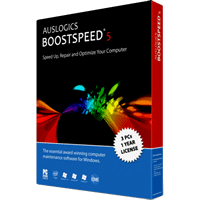
Auslogics BoostSpeed 5.1.0.0 DC 21.07.2011 Portable


AusLogics BoostSpeed - the ideal solution to keep your PC running faster, cleaner and error-free. This powerful optimization suite will boost Internet connections, tweak Windows to its peak performance, clean registry and block annoying ads. It's a great way to keep your computer clean and optimized.


Speed Up PC With BoostSpeed

Modify Windows settings, file system and services to greatly increase system performance. Increase startup and shutdown speed, disable annoying CD autorun and error reporting features. BoostSpeed will keep monitoring your system for possible optimizations and let you know if such optimizations are possible. You can also run the System Optimization Wizard to periodically optimize your PC.

Speed Up Internet
Adjust your PC for faster images, music and software downloads, increased browsing speed and reliable Internet connections. View your download speed and graphs. To gain additional performance boost you can also turn on DNS Optimization.

Block Banner Advertisements

Tired of annoying banner advertisements accompanying many web sites? Now you can eliminate advertisements and also speed up your Internet browsing with BoostSpeed Banner Killer! You can add your own web sites to the black list to block them from showing their advertisements.

Keep Disk and Registry Clean
Get rid of junk on the disks and registry of your PC. Remove hazardous and space-wasting files left by untidy programs and crashes of your system. Dramatically increase the performance of your PC by cleaning, optimizing and defragmenting local disks and registry.

Optimize Memory and Appearance
Badly written applications constantly steal memory without giving it back. That's why your PC becomes unstable with time and you have to reboot. BoostSpeed automatically frees up computer memory to gain additional performance boost. You can also manually recover memory and clipboard.

Keep your PC fast and safe
BoostSpeed will detect most of the popular "PC-slowers" - bundle-software (such as eDonkey or Kazaa) which silently download malware and spyware to your computer, taking up internet traffic and slowing down the system. This will also keep your system safe from prying eyes of spyware programs.

Boost Software Products
BoostSpeed can improve performance of different software products, including Microsoft Office, Internet browsers (such as Internet Explorer, Opera, Mozzila), E-mail clients (Outlook, The Bat), MSN Messenger, ICQ, Media Player and others.

System Optimization Tools
Greatly increase your PC startup speed with Autorun Manager, where you can disable or remove the programs which try to load up when Windows starts up. Force-uninstall unwanted software products which take up space on your computer and slow it down.

Networks Tools
Keep your connection alive while you're away, synchronize your computer clock with atomic clock over the Internet, lookup domain names and IP addresses, measure your Internet connection speed. Troubleshoot and improve your Internet connection and local network with an excellent selection of network management tools.

OS : Win XP/2000/Vista/Win 7
Language : Multilingual

Home Page - http://www.auslogics.com/

Download: Filesonic.com
[Xem tiếp...]


XnView 1.98.2 Full Portable Multilingual


XnView, a software to view and convert graphic files, really simple to use. Support of more than 400 graphics formats. XnView exists for Windows, MacOS X, Linux x86, Linux ppc, FreeBSD x86, OpenBSD x86, NetBSD x86, Solaris sparc, Solaris x86, Irix mips, HP-UX, AIX. The most important features are: Import about 400 graphic file formats and Export about 50 graphic file formats.

Features :
- Import about 400 graphic file formats
- Export about 50 graphic file formats
- Multipage TIFF, Animated GIF, Animated ICO support
- IPTC, EXIF
- Resize
- Copy/Cut/Crop
- Adjust brigthness, contrast...
- Modify number of colors
- Apply filters (blur, average, emboss, ...)
- Apply effects (lens, wave, ...)
- Fullscreen mode
- Slide show
- Picture browser
- Batch convert
- Thumbnail create
- Screen capture
- Contact Sheet create
- Multi-page file create (TIFF, DCX, LDF)
- TWAIN support (Windows only)
- Print support (Windows only)
- Drag & Drop support (Windows only)
- 44 languages support (Windows only)
And many many other things...

OS : Win XP/2000/Vista/Win 7
Language : Multilingual

Home Page - http://www.xnview.com/

Download: Filesonic

[Xem tiếp...]


AIDA64 Extreme Edition 1.80.1481 Beta Portable Multilingual


 AIDA64 Extreme Edition (Everest) is a streamlined Windows diagnostic and benchmarking software for home users. AIDA64 Extreme Edition provides a wide range of features to assist in overclocking, hadware error diagnosis, stress testing, and sensor monitoring. It has unique capabilities to assess the performance of the processor, system memory, and disk drives. AIDA64 is compatible with all current 32-bit and 64-bit Microsoft Windows operating systems, including Windows 7 and Windows Server 2008 R2.


CPU, memory and disk benchmarks
AIDA64 implements a set of 64-bit benchmarks to measure how fast the computer performs various data processing tasks and mathematical calculations. Memory and cache benchmarks are available to analyze system RAM bandwidth and latency. Processor benchmarks utilize MMX, 3DNow! and SSE instructions, and scale up to 32 processor cores. For legacy processors all benchmarks areHa available in 32-bit version as well. AIDA64 Disk Benchmark determines the data transfer speed of hard disk drives, solid-state drives, optical drives, and flash memory based devices.

OS : Win XP/2000/Vista/Win 7
Language : Multilingual

Home Page - http://www.aida64.com/product/aida64-extreme-edition/overview/

Download: AIDA64 Extreme Edition 1.80.1481 Beta Portable Multilingual


[Xem tiếp...]


Tìm kiếm Blog này

Tổng số lượt xem trang